
Inverter Monitor
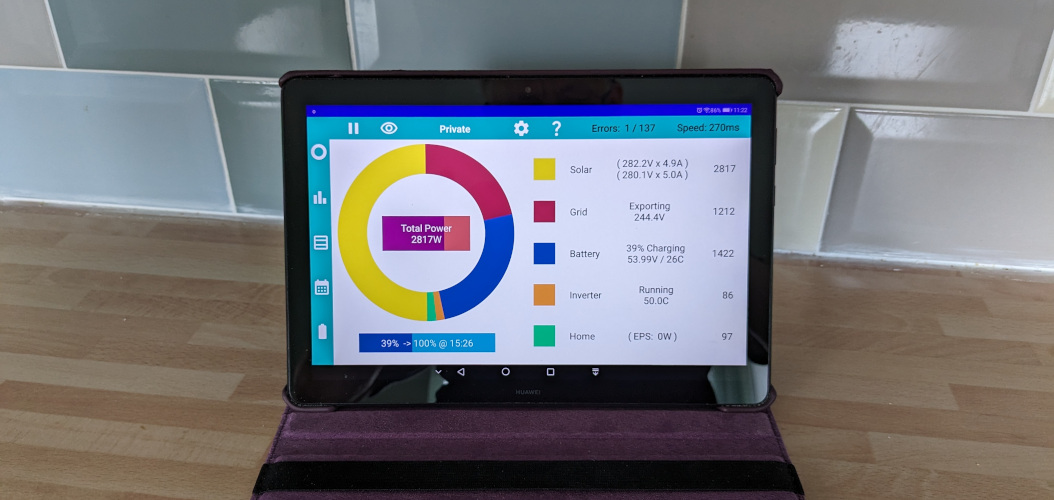
If you find that the app stops unexpectedly after an hour or so, it could be due to background usage.
If the apps runs for days or weeks and then randomly stops, it could be auto update.
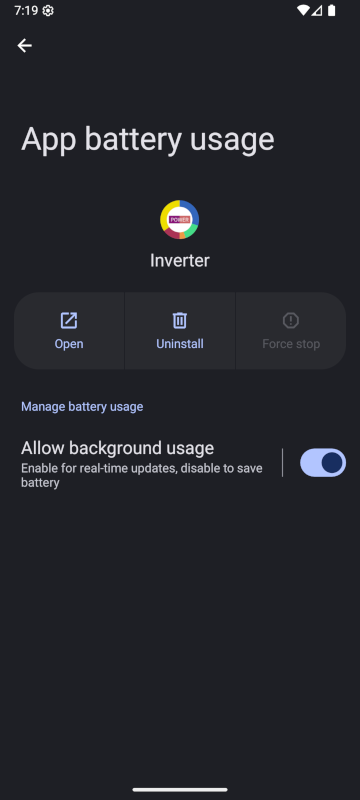
Once the collect stats option is turned on (and notification permission granted) the app should start running continuously.
Apps running constantly in the background will slow down the device and drain the battery (unless the device is plugged in!). From about Android 6 some manufacturers, in response to poor reviews from users, decided to take action, introducing a variety of methods to kill apps that run in the background. This resulted in a website called Don't kill my app. For some now older devices, you may find instructions on that site for your specific device.
Fortunately Google stepped in with a solution built into the operating system to control apps running in the background. On modern devices there is a standardised setting to allow apps to run (or not) in the background. Android now allows each app to be set individually.
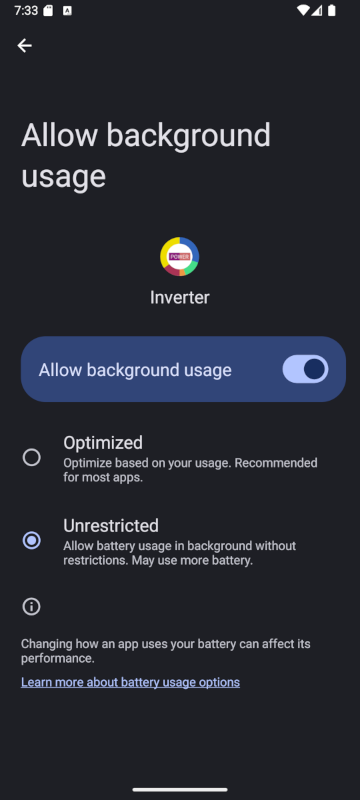
Go to the Android Settings app, then apps, Inverter, App battery usage, will take you to the first screen. This can be a little confusing because it looks like you can just turn background usage on or off. But press on the "Allow background usage" heading (not the toggle) and get to a second screen with a choice of Optimised or Unrestricted.
Unrestricted is the way to go for this app.
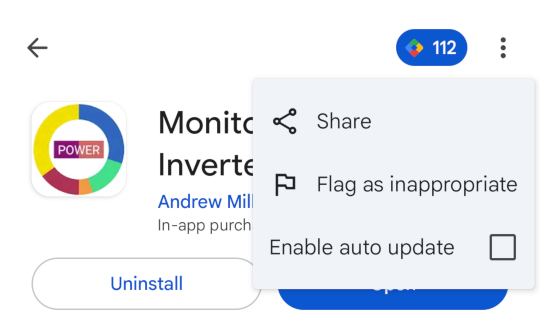
Automatic updating is great for most apps, where it doesn't matter that the app will be stopped when it is updated to a new version.
In Google Play Console you can turn off auto-update for all apps globally, or just for specific apps.
On the Play Store listing for this app, press the three dots top right, and you should see an option to turn off auto update.
With Auto Update off, you choose when to update, and when you update, just run the app afterwards to restart the background process.